
Shopify Packaging: How to Build a Branded Unboxing System
Plan the physical opening of an online order—from the outside box to useful after-purchase information—then connect it to accurate shipping setup.
Shopify packaging is the physical packaging system you choose for orders from your store. Start with product fit and the shipping setup, then plan the customer’s opening sequence: a recognizable exterior, an orderly first look, a clear product reveal, and useful information afterward. Boxes, tissue, and inserts should each have a purpose. These are your design choices, not Shopify-supplied branded components.
Think of the package as a short, practical sequence. The customer should be able to open it, find the product, and know where to get help. You can make that sequence feel like your shop without adding a layer at every step.
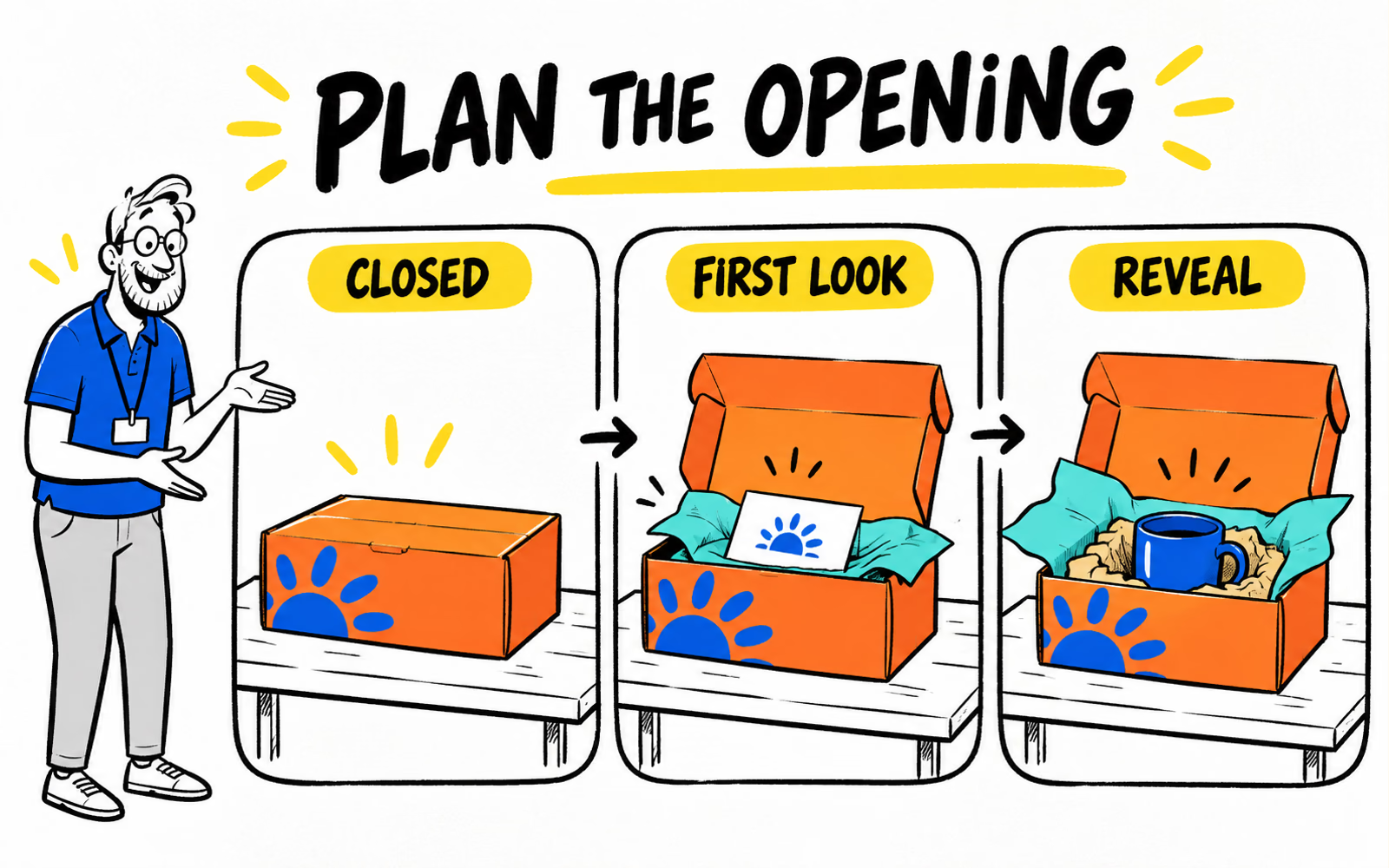
Map the customer’s unboxing sequence
Place a complete sample order on the table and walk through the opening. Note what is visible before opening, what appears first, and how the product is removed. Keep shipping labels, closures, and real handling requirements in that exercise.
The outside: identify the order
Choose a suitable outer pack, then review where the identity can appear without interfering with closure or the carrier label. A small original motif can be enough when space is limited.
The first look: make the next step obvious
When the lid opens, the customer should understand where the product sits and what to lift first. Tissue can organize presentation, but decorative paper alone does not establish protection for a fragile product.
The reveal: let the product lead
Use the complete packed product to evaluate inside space, removal, and any protective components. In our original illustration, the same mug appears throughout the sequence. Its packing is a concept to assess, not a completed transit test.
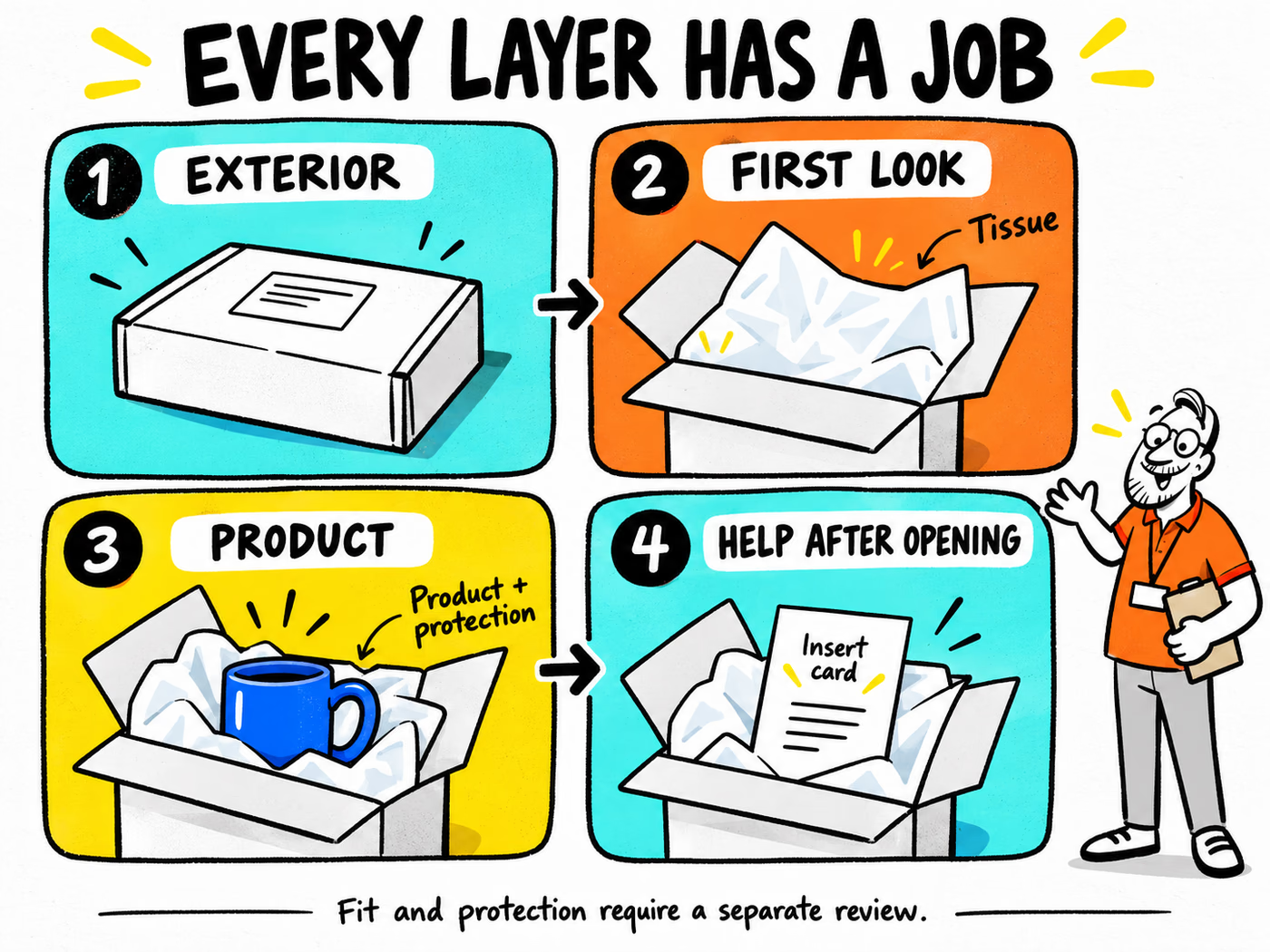
Choose components with a clear purpose
| Stage | Possible component | Question to resolve |
|---|---|---|
| Exterior | Suitable mailer or shipping pack | Does the complete pack fit the product and intended journey? |
| First look | Presentation tissue or inner arrangement | Does it clarify the opening without unnecessary handling? |
| Product | Confirmed protection and positioning | What movement, contact, and handling need evaluation? |
| Help afterward | Insert card with real information | Can the customer find relevant care or support details? |
Compare mailer boxes, tissue paper, and insert cards after defining those roles. One piece may serve more than one purpose. An insert might carry both a brief thank-you and a real support route, for instance.
Remove a layer if it adds no useful job
Try packing the order without an optional piece. If presentation, required information, and the reviewed packing setup still work, compare the simpler route. Do not remove a protective component just because it is less decorative.
The handmade packaging starter system uses a similar role-based approach. Here, the emphasis is the opening sequence and the information that follows an order from your own store.
Connect the package to post-purchase help
Choose information the customer may need after the product leaves the box. That could be truthful care guidance, setup instructions for the actual item, or a tested support address. Keep it short enough to use.
Check every destination before printing
Test any URL or code on the final artwork proof. Send it to the correct public page, ensure it works on a phone, and keep the destination under your control. A printed code becomes part of the product experience long after the packing day.
For a simpler card, pair a short note with real support details. Our 40 original thank-you messages can help with the wording. Keep a gift buyer’s personal note separate from your store’s standard support insert.
Make physical and shipping records agree
Shopify’s package setup guidance describes saving package dimensions and weight. It specifies using outside box dimensions for shipping setup. Keep those measurements distinct from the inside dimensions used to size a box around your product.
When a packing configuration changes, review its actual package data and the shipping settings that use it. Applicable rate behavior depends on your setup and carrier; the artwork does not determine it.
Prepare a repeatable packaging brief
Record one complete packing sequence with component references and artwork versions. A staff member should be able to follow it without recreating the styled photograph each time.
Include the complete order
- Packed-product dimensions, contents, and intended shipping or handoff use.
- Outer pack and protective components to confirm.
- Presentation tissue, closure, and insert roles.
- Exact copy and real support destinations.
- Artwork versions and quantities by pack format.
- Destination ZIP, requested timing, and artwork status.
Use the measurement guide for the fit discussion and the artwork guide for final files. Compare the complete recurring work, including any applied label or insert selection, rather than looking only at the box design.
A clear opening.
A repeatable packing system.
Planning your own mailer boxes? Share the packed-product dimensions, intended use, artwork versions, quantities, and delivery ZIP for a project-specific quote.
Sources & editorial notes
- Shopify Help Center: Setting up packages — dimensions, weight, and outside measurements.
- Shopify: Shipment packaging and weights — shipping-package context.
Reviewed October 6, 2026. BrandYourPack is independent of Shopify. Original packaging concepts are not platform requirements, platform-supplied components, or evidence of improved conversion or transit performance.