
Apple Packaging Design: What Small Brands Can—and Can’t—Adapt
Borrow the discipline of a clear visual hierarchy. Define the carton, inner support and opening requirements as separate decisions for your own product.
Apple packaging design can offer a lesson in visual clarity, but its appearance does not reveal a construction that another box can reproduce. The June 2025 iPhone 16 and iPhone 16 Plus report shows a product-focused box image and describes packaging development for those specific products. For a small brand, separate your graphics, internal support and closure requirements; use an appropriate structure and review the real packed item rather than assuming an Apple-like opening or fit.
A clean box front is a design choice. The way that box holds a product and opens is a separate physical question. Treating those decisions separately gives your supplier a much more useful starting brief.
Document the Apple packaging example
Page 6 of Apple’s June 2025 product report shows an iPhone 16 box with a large product image on the lid and a product-name treatment on the side. Its accompanying discussion concerns packaging changes for iPhone 16 and iPhone 16 Plus. Keep that model and date attached to the example.
Our visual reading is that the lid gives the product image a clear leading role while the side carries a different information task. That is an interpretation of the documented image, not a claim that fewer graphics always increase perceived value.
| Documented element | Possible design question | Do not infer |
|---|---|---|
| Product image on the lid | What should be recognized first? | A universal premium formula |
| Name on a separate face | Which face serves each information task? | Your exact printable areas |
| Model-specific packaging development | What does your own product need? | Equivalent material or engineering |
The report also discusses materials and shipping, but those product-specific claims are not specifications for your independent box. This article uses an original carton and a generic desk object. It contains no Apple device render, logo or reproduction of a tested construction.
Separate appearance from engineered structure
A flat artwork file defines printed content. A structural drawing defines the proposed box geometry. An inner support defines how the packed item is positioned. A closure defines how the package is opened and closed. Review those pieces together while keeping their decisions traceable.
A folding carton does not become a rigid lift-off box because the artwork is minimal. A digital mockup cannot establish lid resistance, fit, protection or an opening effect. Those questions belong to the chosen construction and actual sample.
| Decision | Input to provide | Review to record |
|---|---|---|
| Graphics | Approved content and exact template | Final-size hierarchy and print proof |
| Inner support | Actual product and packed arrangement | Observed fit with the proposed support |
| Closure | Intended opening and use | Observed interaction with the sample |
Discuss the structure by its actual name
Explore folding cartons and product boxes against the supplied structure options. If your idea needs a different lid or support arrangement, ask for that exact construction to be confirmed before planning around it.
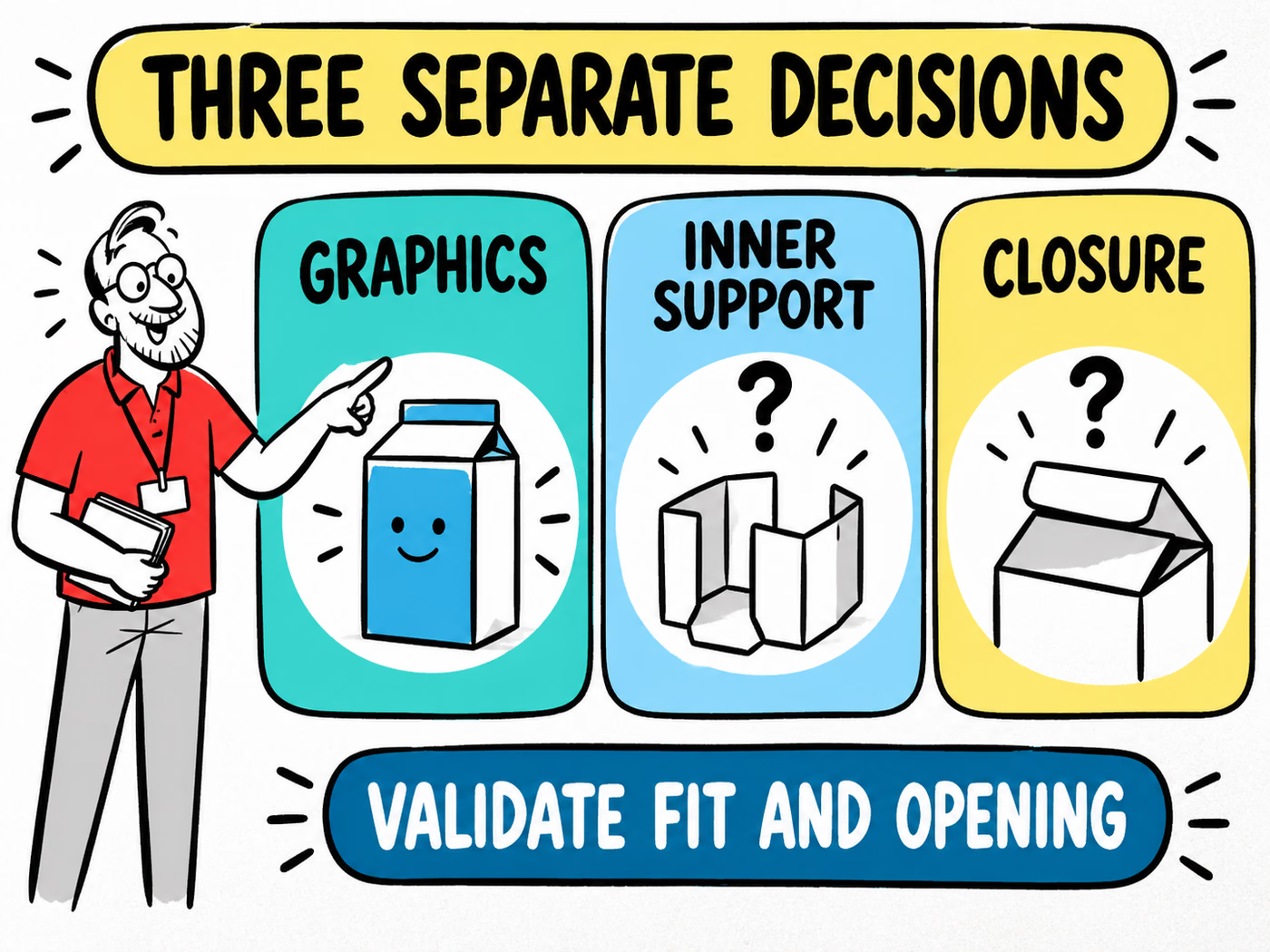
The infographic separates the decisions and leaves fit and opening unresolved. It does not show a validated tolerance or suction effect. See the mockup-versus-prototype guide to keep each review stage connected to what it actually demonstrates.
Adapt clarity without copying construction
Begin with your own product story and approved content. Choose what the reader should find first, then place supporting information where it can be read without competing. A single product image, an original geometric mark or a clear name can all lead a layout; the right choice depends on the actual item.
For a small desk accessory, for example, the front might identify the object and variant while another face explains what is included. That fictional arrangement demonstrates a reading order. It does not prescribe what every product must print or replace required product information.
Use the available faces deliberately
Map the content onto the supplier’s confirmed template. Review fold directions and the faces visible before opening. Keep important text within the instructed limits and check its finished size before adding decorative detail.
A printed insert card can carry a distinct message when that helps the opening sequence. State the card’s job instead of treating it as a structural support. Confirm any inner support separately.
Compare paperboard and corrugated material roles when choosing the proposed format. Use the color-consistency guide to review appearance across the carton, card and any other printed component.
Choose a feasible small-brand packaging brief
Provide the complete packed-product dimensions, the actual item or representative sample, its intended use and the proposed box structure. Include accessories and any defined support in the arrangement. The bare object’s dimensions alone may leave an important part of the job unspecified.
Write graphics and physical requirements on separate lines. Identify who approves the printed content and who reviews the proposed fit and opening. Save the file, drawing and sample references so a later revision can be traced to the same item.
Make the approval useful for the next order
Follow the packed-measurement guide and confirm the dimension convention for the agreed structure. Prepare files through the artwork guide, using the template actually supplied for the job.
When reviewing a sample, write what was observed rather than awarding an invented performance score. If the product, accessories or construction changes, revisit the affected decisions. Visual simplicity can remain a stable design direction while the physical brief stays specific to your own product.