
How to Design Thank-You Cards in Canva for Your Packaging
Build a readable thank-you card with original copy, confirmed dimensions, and a clear print brief. Check the export and read the finished-size layout before approval.
A useful Canva thank you card design has one clear message, a confirmed finished size, and enough space to read it comfortably. Build the layout around those decisions, check the print-area and export requirements, then review it at actual size. Canva can help arrange the graphics; the final file, dimensions, material, and print setup still need project-specific approval.
The customer is opening an order, not studying a poster. A short thank-you message usually works better when it has room to breathe and a clear reading order.
Choose the card purpose and confirmed dimensions
Decide what the card should accomplish. For this exercise, it simply thanks the customer and names the team. Detailed care instructions or product information can use an insert card with its own brief.
Confirm finished width, height, units, orientation, print sides, and any finish with the supplier. Check the available space in the complete package; the box-measurement guide includes cards and presentation components in the arrangement.
Start with the real format
In Canva, search for a thank-you-card design as described on its card-design page, or start with the agreed custom dimensions. Canva’s design-from-scratch guide describes custom sizes using pixels, millimeters, or inches. Choose the agreed unit and verify the values.
A stock template is a layout starting point, not evidence that its dimensions fit your order. This tutorial supplies original copy and a layout exercise; it does not provide an editable Canva template link.
Build a simple readable layout in the current editor
Work with three text blocks in the editor: a headline, one short sentence, and a signature. Use the text tools available in your current workspace, then arrange them in that reading order.
| Block | Text to use | Layout role |
|---|---|---|
| Headline | THANK YOU | First thing the customer reads |
| Message | Your order made our day. | One short sentence beneath the headline |
| Signature | The Field team | A clear sender at the end |
- Add the headline and make it the largest text block.
- Add the message below it, leaving visible breathing room.
- Add the smaller signature without making it difficult to read.
- Use one strong text color against a contrasting background.
- Add one small original accent only if it leaves the message clear.
Field is a fictional identity for the exercise. Replace it with your approved name and original copy. For more options, browse thank-you message ideas rather than squeezing several messages onto one face.
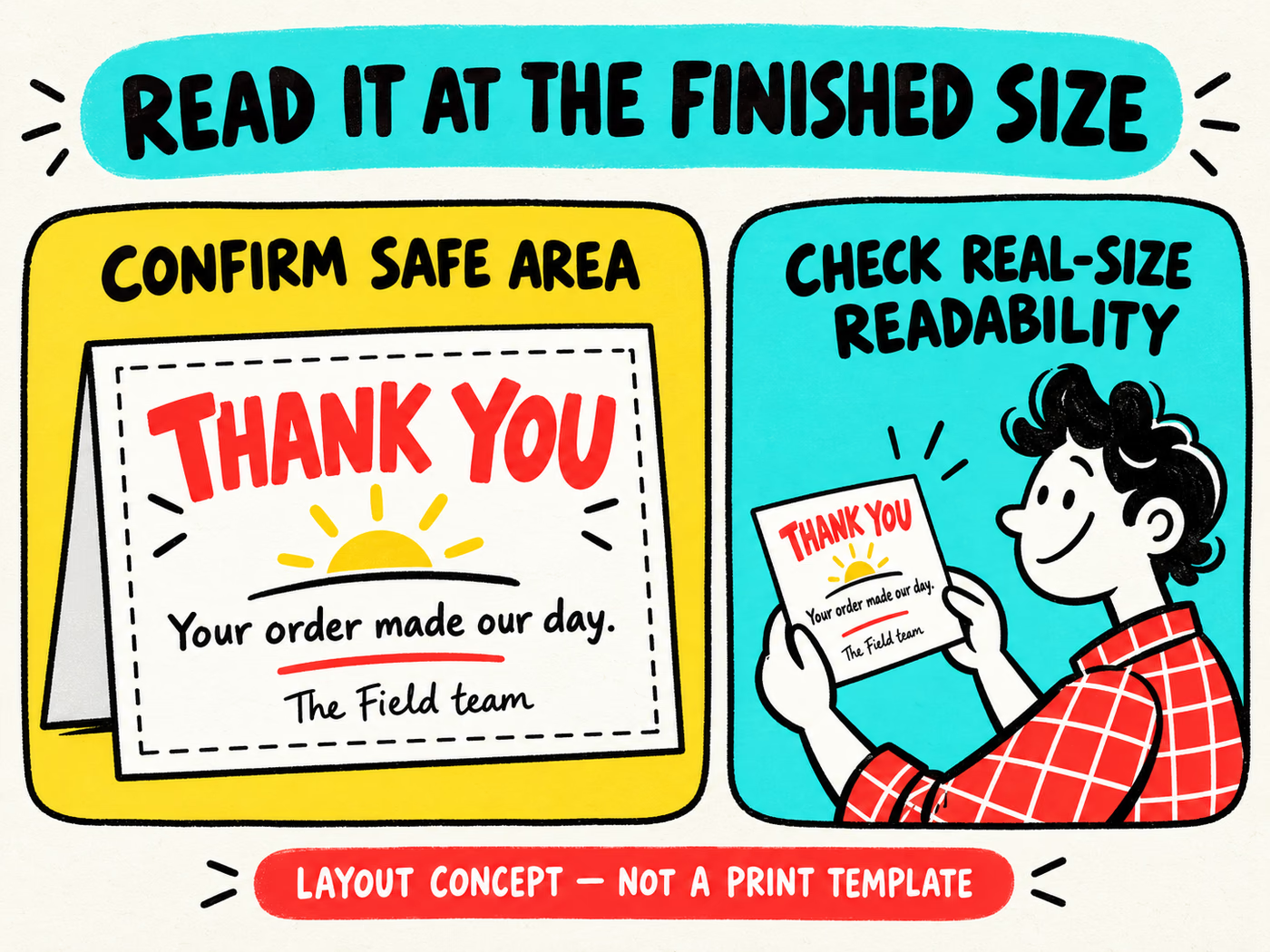
Keep essential content inside the supplier’s confirmed safe area. The dashed boundary in the infographic explains the concept; it supplies no numeric margin or manufacturing template. If you want a handwritten note, leave a deliberate area and confirm the proposed surface is appropriate.
Check export and print-area requirements
Review finished size, trim, bleed, safe area, and print sides with the artwork guide. For a two-sided card, identify front and back and confirm orientation. Do not assume the illustration’s boundary matches the printer’s layout.
Canva’s download documentation lists PDF Print and notes plan-dependent export options. Check the file type and settings available in your account, then compare them with the producer’s requirements.
Its print-area guidance explains built-in margins, bleed, and crop marks. Those sizes are fixed, so a supplier-specific requirement still needs review. Add marks or bleed only in the agreed setup; do not assume one checkbox makes the file production-ready.
Keep the exported file with a version name, finished dimensions, units, print sides, and quantity. The official documentation was reviewed October 6, 2026; check your current account if controls or entitlements differ.
Review the finished card at actual size
Open the export and verify its page dimensions. Review a copy at the intended finished size, avoiding any fit-to-page scaling that changes it. A large screen zoom can disguise cramped spacing and text that is too small.
Read it as the customer will
- Can you read the headline, message, and signature comfortably?
- Does the reading order remain clear without explanation?
- Are spelling, brand name, and print-side orientation correct?
- Does the card fit without interfering with the product or closing area?
- Are essential text and graphics inside the confirmed safe area?
If adding a website, offer, or QR code later, verify its destination and any terms, then check the printed-size result again. The exercise contains no QR code or invented promotion. A home printout helps assess layout, but it does not certify the production stock, finish, or color.
Review custom thank-you cards for the project brief and use insert ideas for information that needs another space. Submit the agreed export for production review, keep the approved version, and retire outdated copy before the next packing run.