
Coffee Cup Logo Placement: Design for the Cup People Actually Hold
Review your cafe logo around the cup people hold. Compare viewing angle, hand position, seam, and curvature on the actual proposed sample.
Coffee cup logo placement works best when you review the cup as someone will actually see and hold it. Choose a primary viewing angle, check the seam and normal grip, then compare your layout on the exact cup sample. There is no universal coordinate that keeps every logo visible on every cup.
A logo can look perfectly centered on a screen and disappear behind a customer’s fingers. The useful design question is simple: what remains visible after the cup leaves the counter?
Define the primary viewing angle
Start with one moment in your cafe’s service: a cup waiting on the pickup counter, a drink handed across the bar, or a cup held while walking. Decide which view should carry the main identifier. You can review the others too, but one clear priority makes artwork decisions easier.
Make the main identifier easy to recognize
Try a short cafe name or one distinct symbol before adding supporting lines. A wide logo may wrap away from the front even when the complete flat file looks readable. A smaller symbol with more open space can be worth comparing on the same cup reference.
For transparent cups, the drink also changes the graphic’s background. Use the separate iced coffee cup branding guide to review contrast; this article focuses on placement around a held cup.
Define the view before the layout
- Exact cup reference and intended serving use.
- Primary view: counter, handoff, or held cup.
- One cafe name or original symbol to lead the design.
- Any sleeve or order marking that shares the visible area.
Check hand position, seam, and curvature
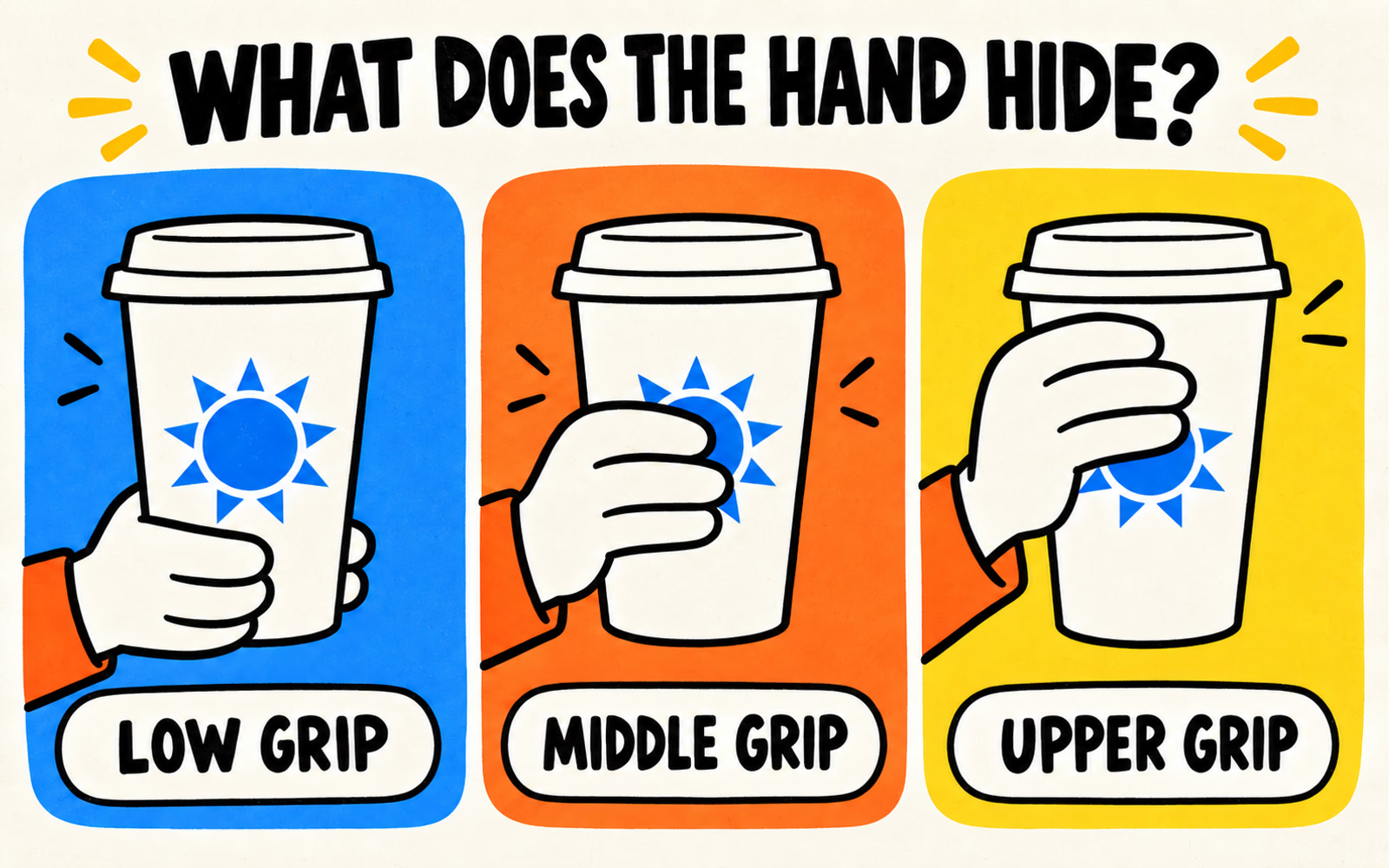
Use the same artwork position while comparing different grips. Moving the logo between pictures would conceal the problem you are trying to assess. Our illustrations show visibility questions; they do not establish a tested optimum.
Look around the cup
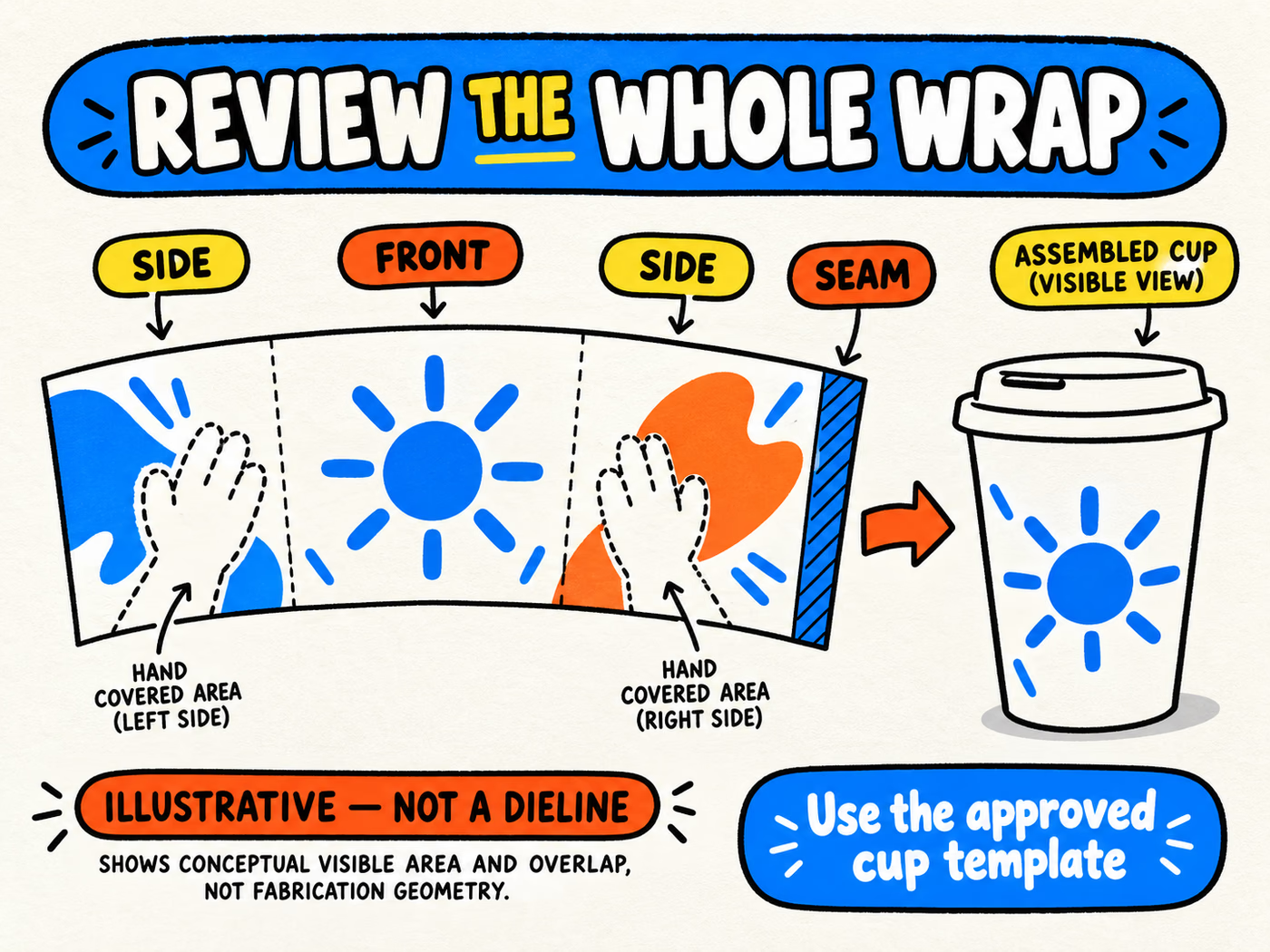
Identify the seam or overlap on the approved template, then find it on the assembled sample. Keep essential wording within areas approved for the proposed printing process. Ask the supplier how the chosen artwork relates to the seam, rather than assigning a clearance from an unrelated cup.
Curvature changes how much of a name is visible from one angle. Turn the cup slowly and check whether the main word becomes fragmented. Try a concise front identifier, with longer supporting copy placed where it can be read separately.
| Obstacle | Review question | Useful comparison |
|---|---|---|
| Hand | Which part of the identifier is covered during ordinary use? | The same layout under several natural grips |
| Seam | Does essential text cross an overlap or restricted print area? | Approved template beside assembled sample |
| Curvature | Can someone read the main identifier from the chosen view? | A compact logo against the wider alternative |
A sleeve adds another possible obstruction. Check the assembled arrangement using the sleeve design guide, including where the sleeve sits on the exact target cup.
Test the layout on a physical sample
Review an approved representation at finished size on the target cup. A paper mockup can help you compare placement; a representative printed sample is needed to assess the actual printed result. Record which kind of sample you reviewed.
Ask several people to pick it up naturally. Photograph the counter view and normal grips, keeping the layout fixed. Note what disappears, which letters wrap out of view, and whether a sleeve changes the result. Compare observations rather than relying on a staged pose that exposes the logo.
Keep print appearance, cup construction, and serving suitability as separate approvals. A clear logo does not establish lid compatibility or thermal performance. Review exact cup and lid references and paper cup construction for those questions.
Prepare artwork on the approved cup template
Request the template for each proposed cup reference. Confirm bleed, safe areas, overlap, color instructions, and file requirements before submitting final artwork. Do not scale one cup’s dieline to fit another menu size.
Include your preferred viewing angle and sample observations with the file. Label artwork versions clearly, especially when several capacities share an identity but need different layouts. The packaging artwork guide helps organize the submission.
Evaluate custom paper cups against your serving specification, with quantities separated by cup reference and design. Placement approval belongs to that particular combination.
Design for the handoff.
Planning your own café packaging? Share your drink use, requested capacities, exact lid needs, quantities by design, and delivery ZIP for a custom quote.
Planning references
- BrandYourPack: Packaging Artwork Guide.
- Cup Sizes and Lid Compatibility.
- Single-Wall vs Double-Wall Paper Cups.
Reviewed October 6, 2026. Original placement concepts; illustrations are not production templates or records of physical tests.